Song-based search
GrooveFinder ranks styles by musical characteristics instead of relying only on filenames.
Yamaha PSR-SX900
Stop browsing through folders. Search by song and artist, compare the strongest musical matches and send your choice to the PSR-SX900.
Start the 3-day trial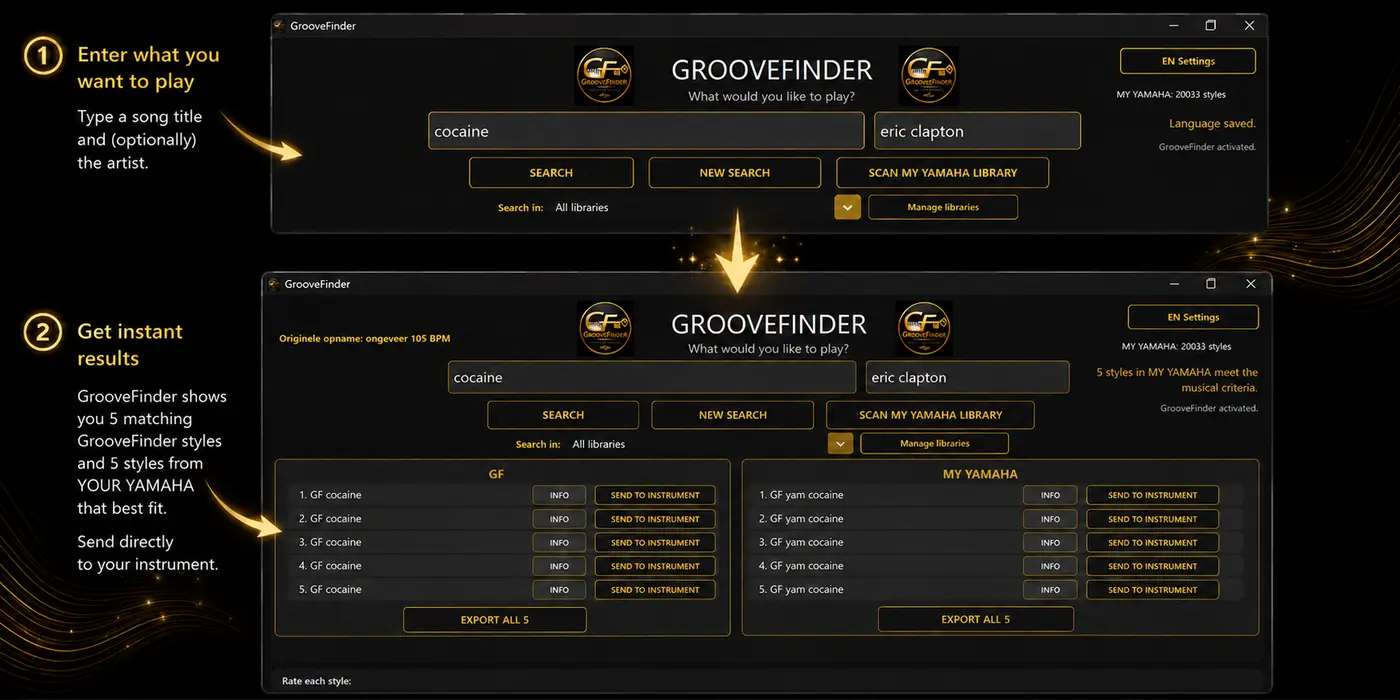
GrooveFinder ranks styles by musical characteristics instead of relying only on filenames.
Keep your existing collection and filenames. GrooveFinder searches them without moving or deleting the originals.
A properly formatted USB stick remains useful for larger personal collections and avoids filling limited user memory.
Full Edition can show up to ten GrooveFinder matches and up to five matches from your own library. Own Library Edition shows up to five personal results.
Five is the best rating and zero the lowest.
Yes. It helps identify duplicate, incomplete or defective style files before you scan your library.